
TL;DR: Install a travel eSIM before you fly if the phone is unlocked and eSIM-capable — you leave the jetway already online. Want a mainland number? Buy a China Unicom or China Telecom tourist SIM at the official counter after immigration at PVG, PEK, or CAN, passport in hand. China Mobile also sells SIMs to passport holders at official stores; tourist-plan stock and English handling vary, so confirm at the desk. A mainland SIM needs real-name registration. Do this before you need Maps or Alipay.
- Get connectivity on a custom independent trip
- Independent trip with data sorted
- Ask LocalKey to arrange it
Data is how we pay for breakfast, scan a metro gate, and tell a hotel we are downstairs on WeChat. For a visitor the choice is not mysterious. The timing is. Do it at home on your own Wi-Fi, or at the airport counter with the passport still in your hand — not in a taxi queue at 4% battery.
If you are lining up a 240-hour visa-free entry, treat connectivity like the onward ticket: finish it before you fly.
Why do I need mobile data the moment I land in China?
China is QR-first. The Maglev, the metro, a Didi, a convenience-store water, and a lot of small counters expect a scan. Alipay and WeChat Pay both need a live connection to finish a payment, show a metro QR, or talk to a hotel. Airport Wi-Fi exists. It is also crowded, captive-portal messy, and the first thing that drops when you walk toward the taxi rank.
Without data you lose, in order: maps (Apple Maps on iPhone; Amap or Baidu if you prefer the local apps), Alipay and WeChat Pay, the metro QR, and the WeChat chat a hotel or driver will send. A linked Visa is useless if the app cannot reach the server. A screenshot of yesterday’s ticket is not a live gate code.
Home-carrier roaming can work for a few hours. It is also the most expensive way to discover that a bank SMS never arrived. We treat landing data as part of packing: done, or not done.
Should I buy an eSIM before I fly, or a physical SIM at PVG, PEK, or CAN?
Two different products. Do not mix them up.
A travel eSIM you install before you fly is a data plan from a global provider. The China National Tourist Office in London describes this path for short-term visitors with eSIM-capable phones: buy a regional plan before arrival, then activate it on entry (CNTO, Internet & SIM Cards). You keep your home number in the other slot. You are online when the plane door opens. You usually do not get a mainland Chinese number.
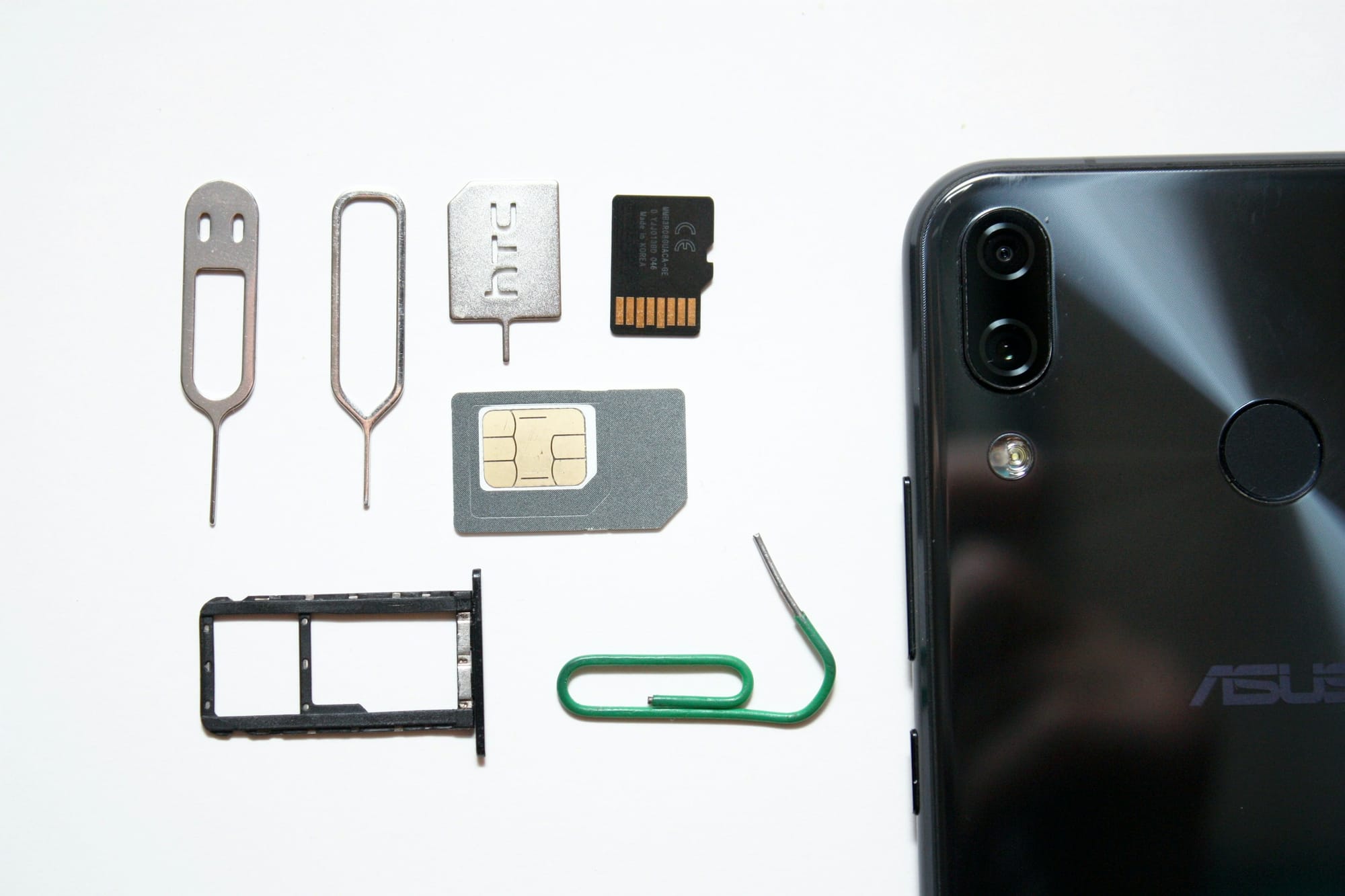
A mainland tourist SIM at the airport is a physical nano-SIM from China Unicom or China Telecom — the two counters foreigners most often find in international arrivals. CNTO lists dedicated kiosks at Beijing Capital, Shanghai Pudong, and Guangzhou Baiyun, and says visitors may use a passport at official China Telecom, China Mobile, and China Unicom branches (CNTO). You get a Chinese number. You also get a queue, a passport scan, and a face check.
| Travel eSIM before you fly | Airport tourist SIM (Unicom / Telecom) | |
|---|---|---|
| When it works | On landing, if you installed it at home | After the counter finishes real-name registration |
| Chinese phone number | Usually no | Yes |
| What you show | Nothing at the airport | Original passport; staff scan it and take a face photo |
| Phone requirement | Unlocked, eSIM-capable | Unlocked, nano-SIM tray |
| Best for | Maps, Alipay, WeChat from the jetway | Local SMS, some app registrations, a longer stay |
| Risk | Phone locked to a home carrier; plan that skips the mainland | Counter closed, long queue, or a hall with no tourist stock |
We do both when the landing is late. The eSIM covers the first hour. The physical SIM, if I still want a mainland number, can wait until morning.
Do not invent a price and then argue with the clerk. Packages change by airport and stay length. Ask what is on the board, check the data cap and the expiry, and pay at the counter. Cash in RMB is the reliable option; some desks take a card, and some do not. Install the eSIM on home Wi-Fi, keep the home SIM in the second slot for bank SMS, and load a hotel map pin before you leave the hall. Airport desks are not a 24-hour promise.
A mainland-carrier eSIM written in a city store is a third thing. Apple’s current note is narrow: only specific China-sold iPhone models can install one, in person, with ID (Apple Support, Using eSIM with your iPhone in China mainland). Most visitors with a phone bought outside China want the travel eSIM, or the plastic tourist SIM.
Which mainland networks can foreigners use?
Three networks cover the mainland: China Mobile, China Unicom, and China Telecom. CNTO lists all three as places a visitor can take a passport and buy a SIM (CNTO).
China Unicom is the counter most foreign-passport queues form at. Tourist SIMs are a normal product there. Staff at PEK, PVG, and CAN have seen this job before. If you want one physical card and one conversation, start here.
China Telecom also sells short-term tourist cards at major airports and at its official branches. Coverage in the big cities is fine. Confirm your phone’s bands if you are on an older Android; newer unlocked phones are usually fine.
China Mobile has the widest rural footprint. Official tourism pages list it as a passport-accepting operator. That is not the same as “the tourist SIM is on the shelf in this arrivals hall, in English, on this shift.” We ask the official desk whether they can register a tourist plan on a foreign passport today. If the answer is slow or blank, we walk to Unicom or Telecom.
Do not buy a SIM from anyone who is not behind a carrier counter. Real-name registration has to hit the operator’s system. All three networks are usable in Beijing, Shanghai, Guangzhou, Shenzhen, Chengdu, and the other cities most independent trips use. If you leave the high-speed-rail map, ask the counter which network is stronger on those days.
Why is a passport and real-name registration required?
Because the law says so. There is no tourist exemption.
The Ministry of Industry and Information Technology’s Telephone User Real Identity Information Registration Regulations require an operator to see a valid ID before it connects a mobile number or a wireless data card. Article 7 lists a foreign citizen’s passport as an accepted document (gov.cn text of the regulations). If you refuse the ID, the operator must refuse the SIM. The Anti-Telecom and Online Fraud Law repeats that duty (Ministry of Justice English text, Article 9).
At the counter that looks like this:
- Original passport. A phone photo is not enough.
- A scan of the biodata page.
- A live face check against the passport photo.
- A short form and a service password you should write down.
Bring the physical passport. If you are travelling as a pair, each person registers their own card. Do not put two phones on one passport and hope.
A travel eSIM from a global provider is not a mainland SIM, so it does not go through this airport desk. That is one reason people install it at home. A mainland Unicom, Telecom, or Mobile SIM does.
Does my iPhone or Android support eSIM for China?
Check the phone. Do not assume the series name is enough.
Travel eSIM (the usual visitor path): the phone must be carrier-unlocked and eSIM-capable. On iPhone, Settings → General → About. If Carrier Lock says “No SIM restrictions,” you are usually clear. If it names a home carrier, call that carrier before you buy a plan. On Android, look for an unlock status and an “Add eSIM” row. CNTO’s high-level note is iPhone XS or later and some Android models (CNTO). Check your model and unlock status; do not trust a blog list.
Mainland-carrier eSIM written in a China store: Apple’s 2 March 2026 note names only iPhone 17e (model A3635) and iPhone Air (model A3518) for eSIM in China mainland. Other iPhones, including those bought outside the mainland, cannot install a mainland-carrier profile. Activation is in a carrier store, with ID (Apple Support). That is not the product most visitors need.
Physical SIM: any unlocked phone with a nano-SIM tray — still the reliable airport path. If an eSIM sits in Settings with no bars, the plan skipped the mainland or the phone is still locked. Fix that at home.
What about apps that do not load on a mainland network?
Some foreign apps and sites are blocked on mainland networks. Plan your maps and payments on the local stack — Alipay, WeChat, and a China-capable map — before you rely on anything else.
How does this sit next to Alipay, WeChat Pay, and a 240-hour entry?
Set up Alipay for foreigners on home Wi-Fi and link a Visa or Mastercard. Do the same for WeChat Pay if you have the days — that real-name review can take 1–3 business days. A working eSIM does not replace those wallets. It is what lets them talk to a server when you scan the first QR.
If you are entering on 240-hour visa-free transit, finish this before you fly, the same way you finish the onward ticket. Ten days is enough for a tight independent route. It is not enough to spend the first afternoon in an arrivals queue.
What usually goes wrong?
The same five: a phone still locked to a home carrier; an “Asia” eSIM that excludes the mainland (Hong Kong is not Shanghai); If the trip also crosses Hong Kong SAR and Macau SAR, use the three-jurisdiction guide to eSIM and SIM across Hong Kong, Macau and mainland China. no original passport at the counter; a closed desk after a late arrival; wallets set up and data not. Test a map load, then a tiny QR, before you need dinner. If a payment fails, try the other wallet, then cash.
Ready to travel, not just connect
A working eSIM or tourist SIM gets you through the first QR. The trip still needs a route that fits your dates, the bookings that have to line up, and someone on WhatsApp or WeChat if a train moves. That is the work we do: a custom independent trip — hotels, rail, transfers, and an app roadbook — or the same plan with a private car and an optional guide. Not a group tour.